
What MyComplice does
Planning, daily assignments, sheets, cards, AI tutor and community: everything happens in a single application, on your computer.
Your year, planned
One chapter per week, matched to your assignments due, your in-person sessions and your exams. You approve the plan line by line, and it readjusts if you fall behind.
A schedule built around your exams
Subjects alternate, and the one whose exam comes first takes priority. A revision week is set aside before each exam, and MyComplice warns you if a chapter risks arriving too late.
Your assignments for today
Every day, what there is to do: which course, which pages, which sheet to learn. One click to mark it "done", and the schedule takes your non-study days into account.
Schedule as a PDF
The schedule MyComplice built for you, as a PDF, so you can compare it with your institution's.
My courses, read in MyComplice
Add your PDFs by subject (course, workbook, other) and read them in the application: four-colour highlighting, notes in the margin, zoom. Claude reads the table of contents of your course, even when scanned, uses it to split the year, and one click opens the course at the right page. MyComplice also matches the themes of your workbook (exercises, tutorials) with the chapters: every day, next to your assignments, two buttons open the right page of the course and of the workbook.
All subjects
Law, languages, quantitative subjects, history or economics: exercises and sheets adapt to the type of subject. PDFs, scans, Word documents and audio files are accepted.
A glossary for each subject
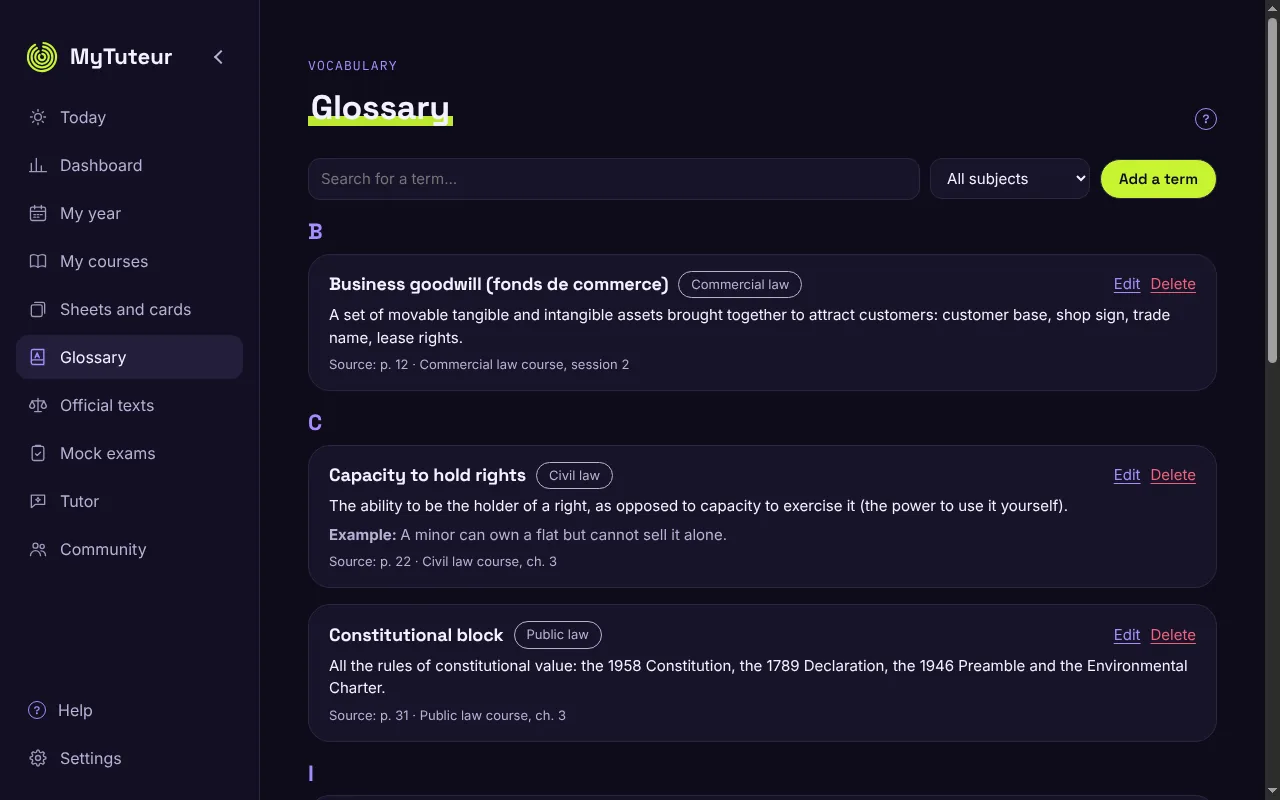
The technical terms of each subject, with definition and example. Claude can suggest a simple definition, you add a word straight from a course by selecting it, and the tutor uses the same words as you.
Verified official texts
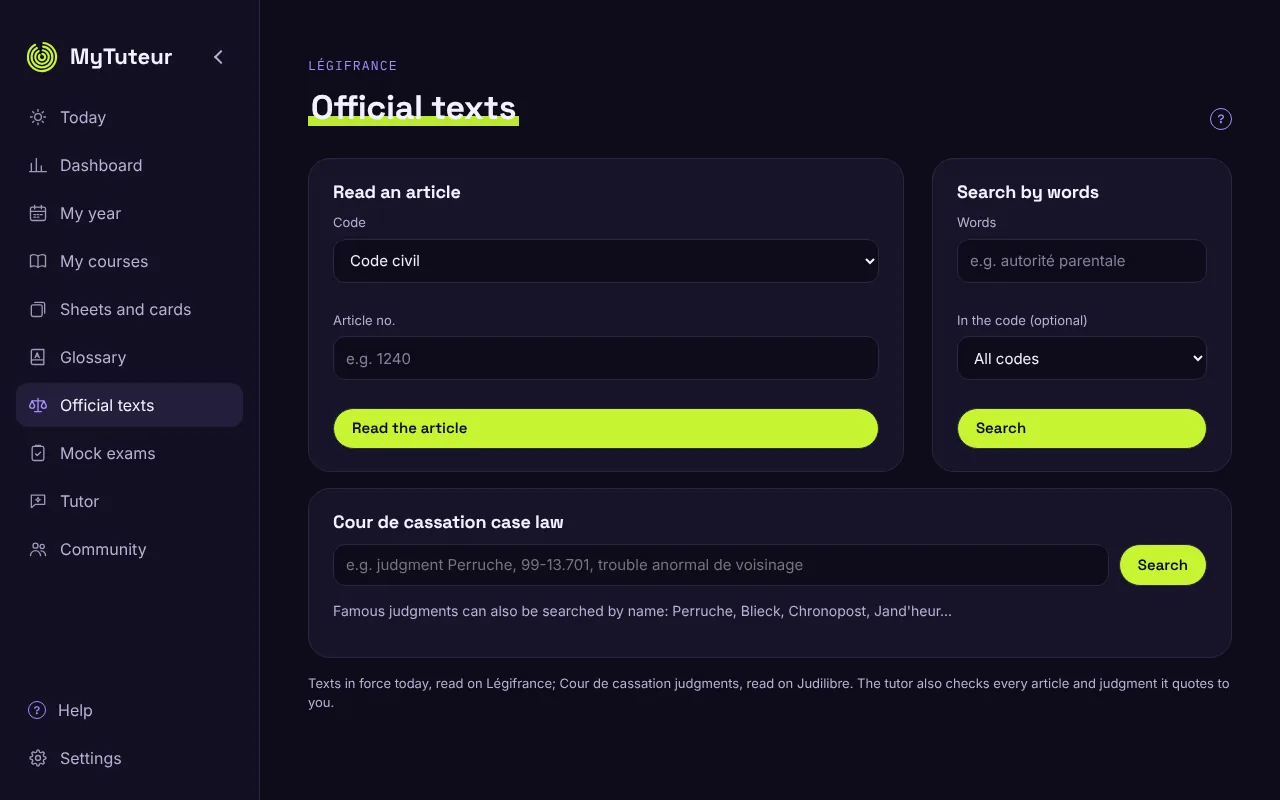
For law: read the articles in force from 55 codes (Civil Code, Criminal Code, procedure…) and search by keyword, directly on Légifrance. The tutor checks every article it cites and says so: "✓ Verified on Légifrance".
Official texts: judgments by name
Famous judgments are found by their name: type "Perruche" and MyComplice finds the Perruche judgment.
Sheets, cards, tests
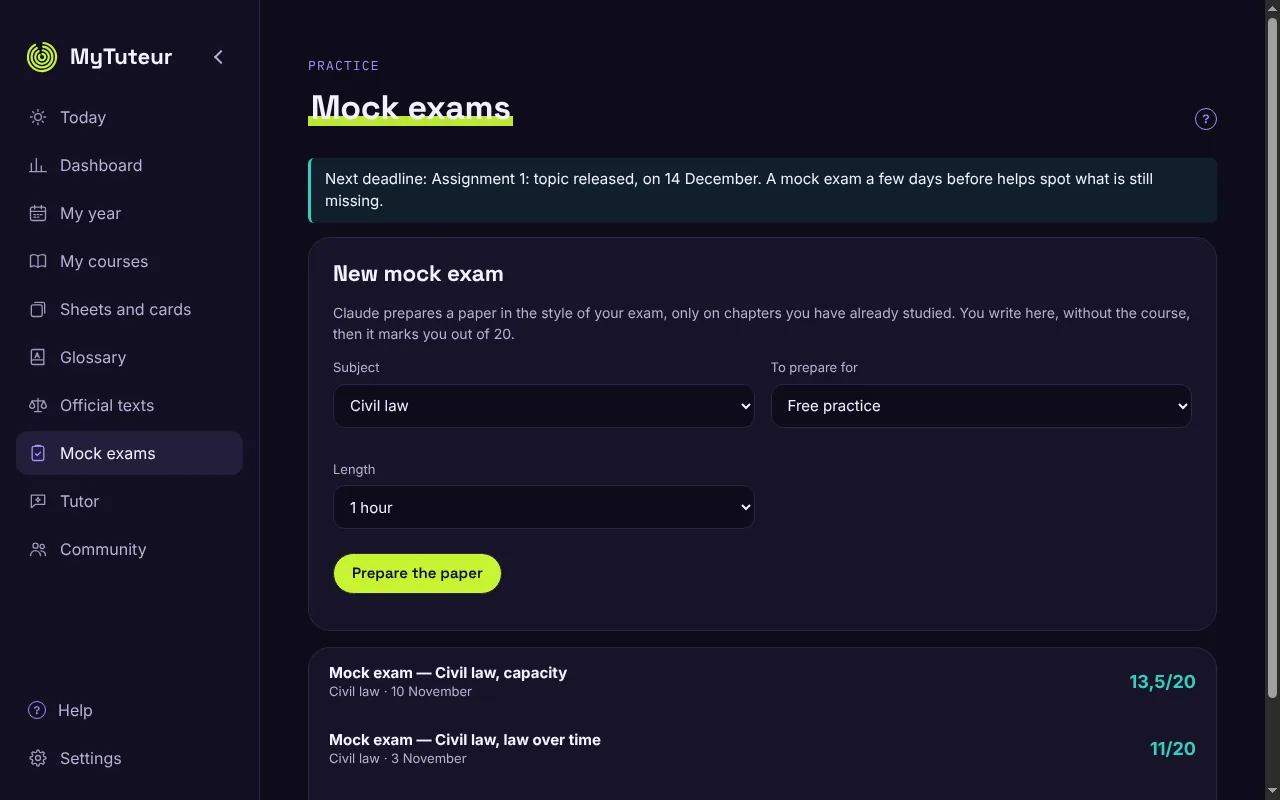
Revision sheets, a card deck for each chapter, mock tests with traps before each real assignment: everything is generated from your own courses, with the source page cited.
Revision sheets, redesigned
All the same size; one click opens a sheet full-size: glossary, the essentials, an example and the articles, with the source and the verification date. A "learn by heart" sheet stays blurred until "Show the answer", and a filter keeps only the current chapter.
Card deck
A 3D library: pick a book (a chapter), it opens, and you play your cards on a desk. Replay the cards you missed; a missed card sends its sheet back to be revised.
Dashboard
Ahead of or behind schedule, regularity, cards known, mock test marks. MyComplice spots your difficulties, you can flag some yourself, and everything to revise is in one place.
A built-in AI tutor
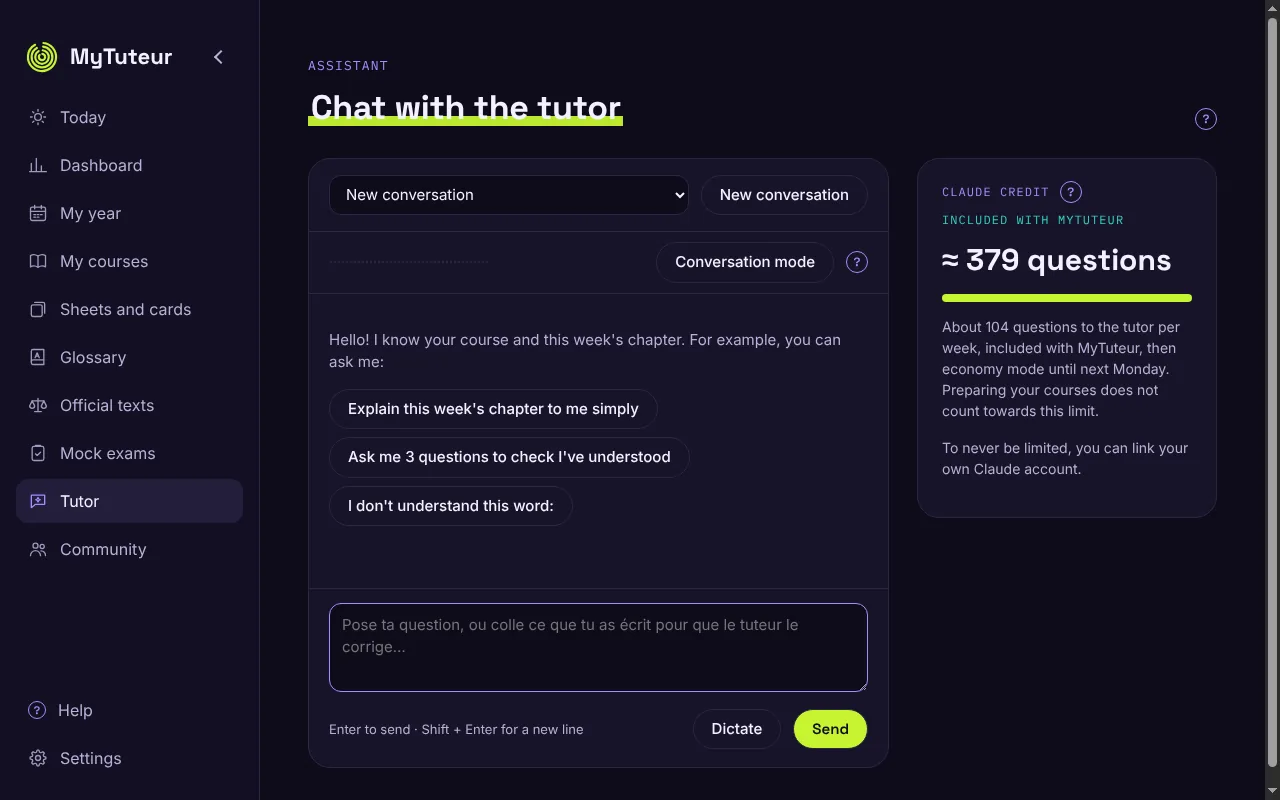
It discusses the course with you, tells you when you are ready for the exercise, corrects, and puts you through mock orals. It guides you, it never writes your assignments for you.
Tutor questions included every week
A question credit is included in the subscription, split into weekly instalments so you do not use it all in a few days. Once the week's share is used, the tutor switches to "economy mode", with simpler answers, instead of stopping.
A tutor that speaks
Talk to the tutor and listen to its answer. Voice and speech recognition run entirely on your computer: nothing is sent for the voice.
Easy to live with
MyComplice tells you when a new version is available and installs it in one click. Every screen has a "?" button that explains simply what to do.
Appearance
Six colour palettes, in light and dark.
Français or English
In Settings › Appearance › Language: the whole interface, the help and the messages switch to English. Why it is useful.
What MyComplice looks like
Screenshots of the application, with sample data (law "capacité" course, CNED). They follow the site's light or dark theme. The screenshots show the French interface; the application is also available in English.
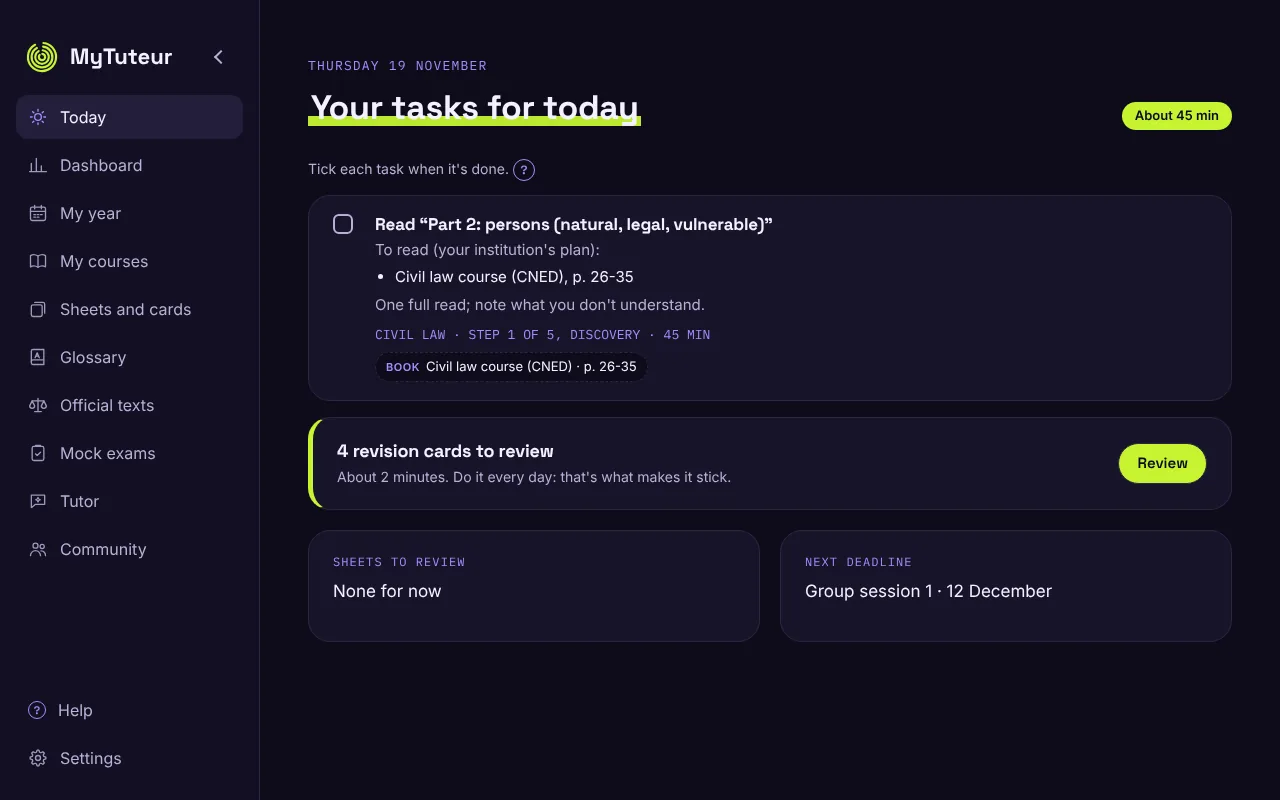
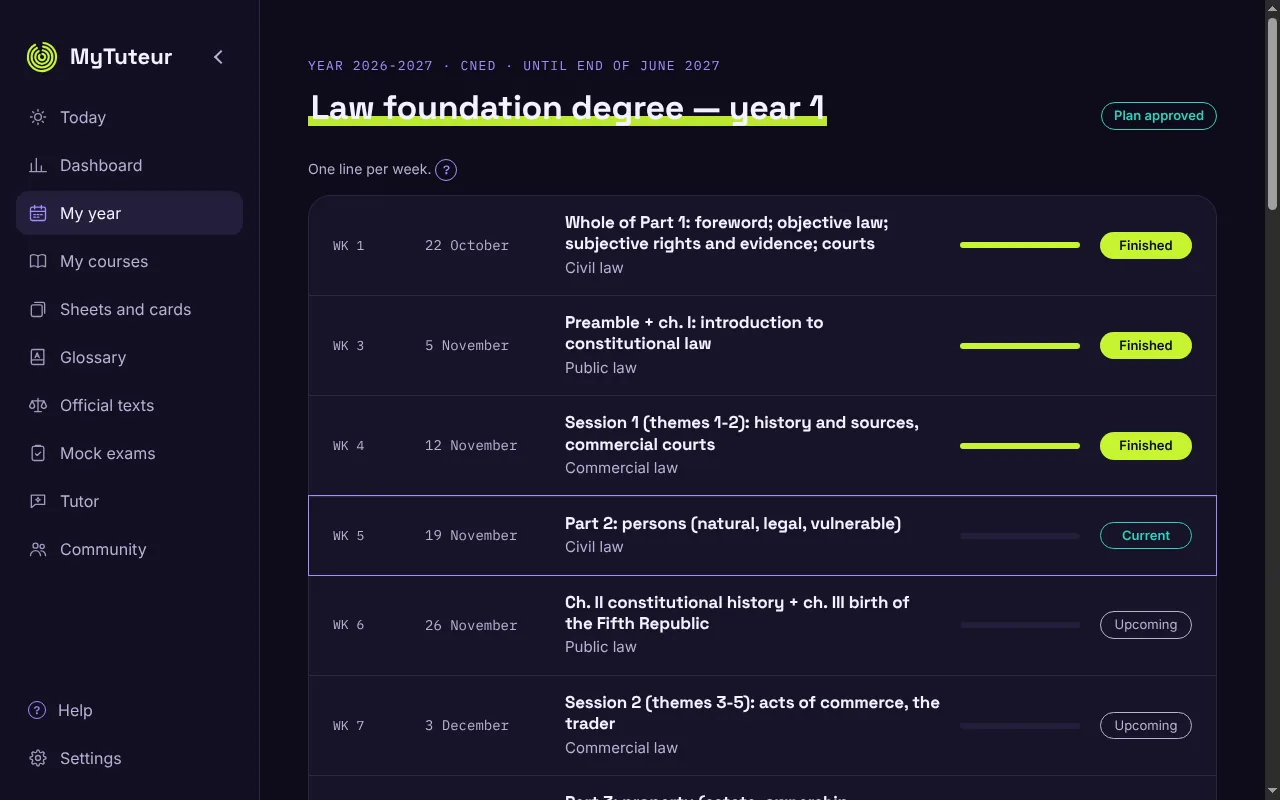
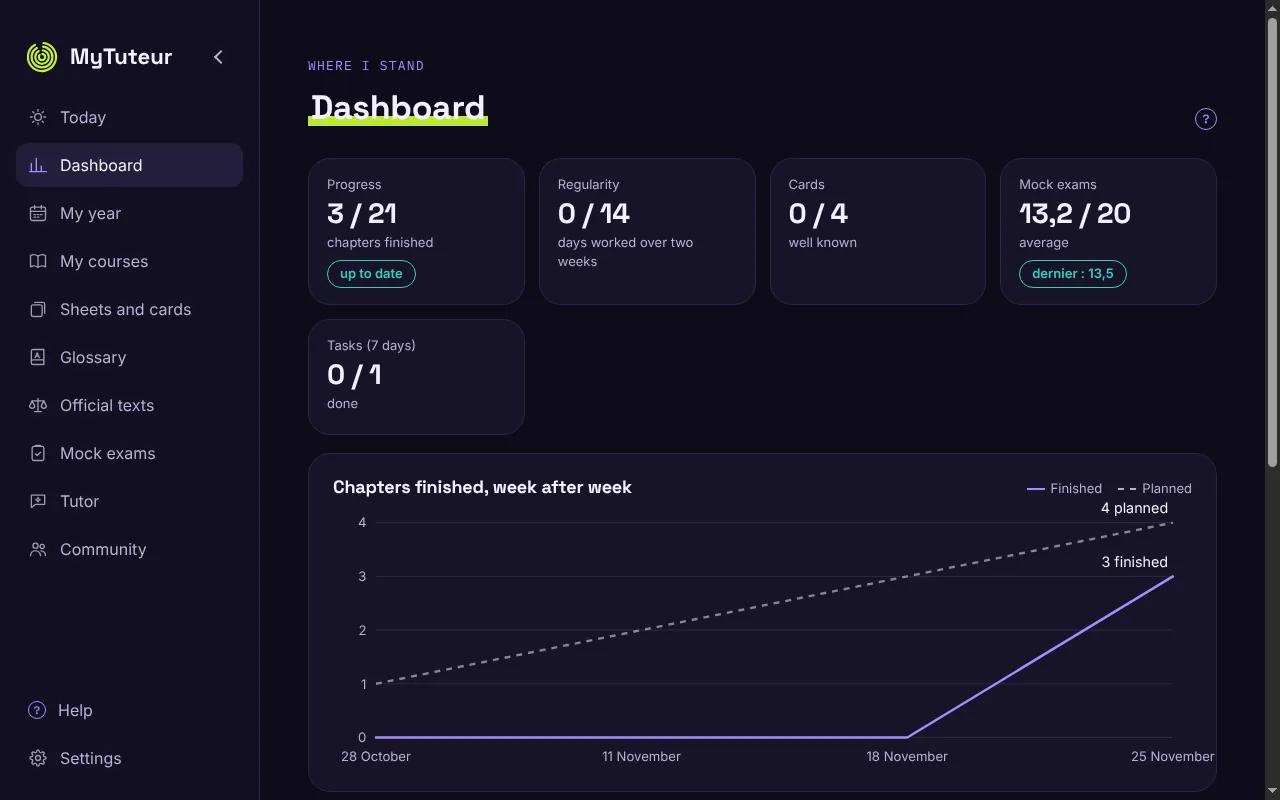
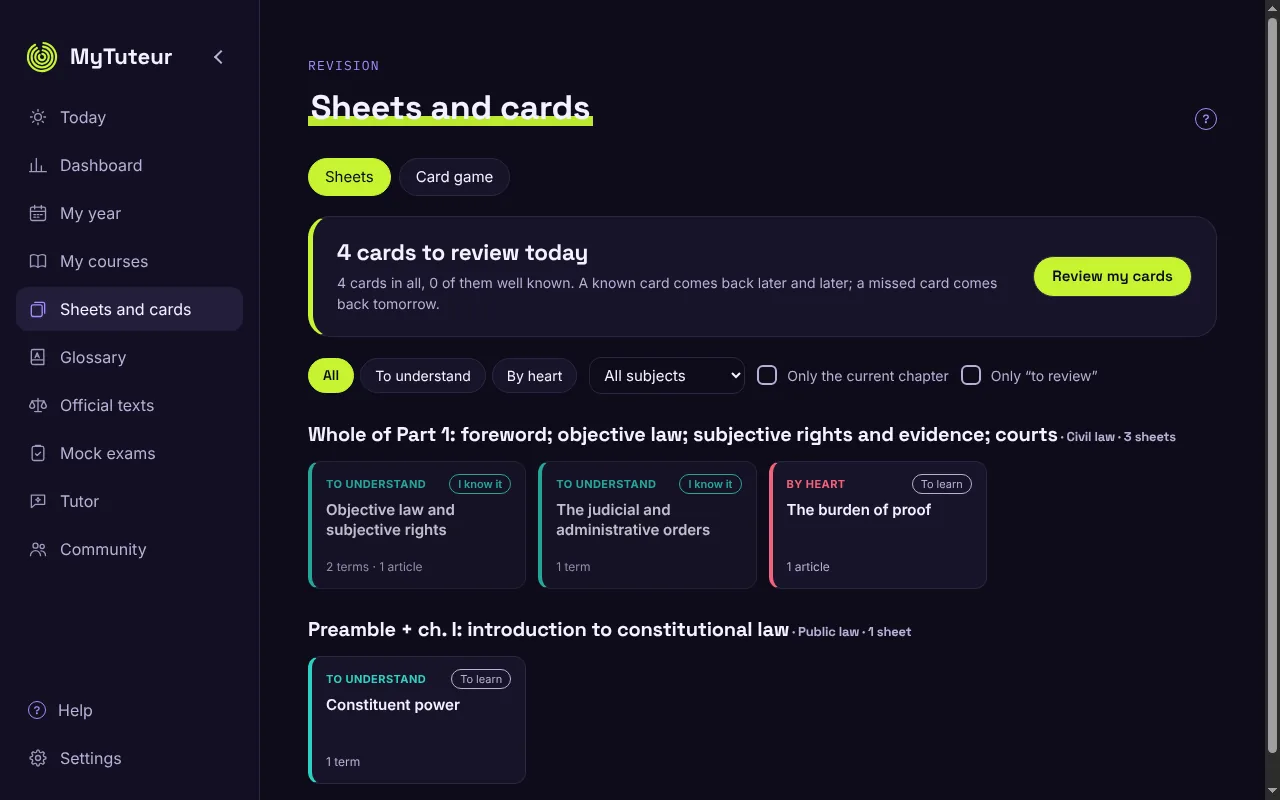
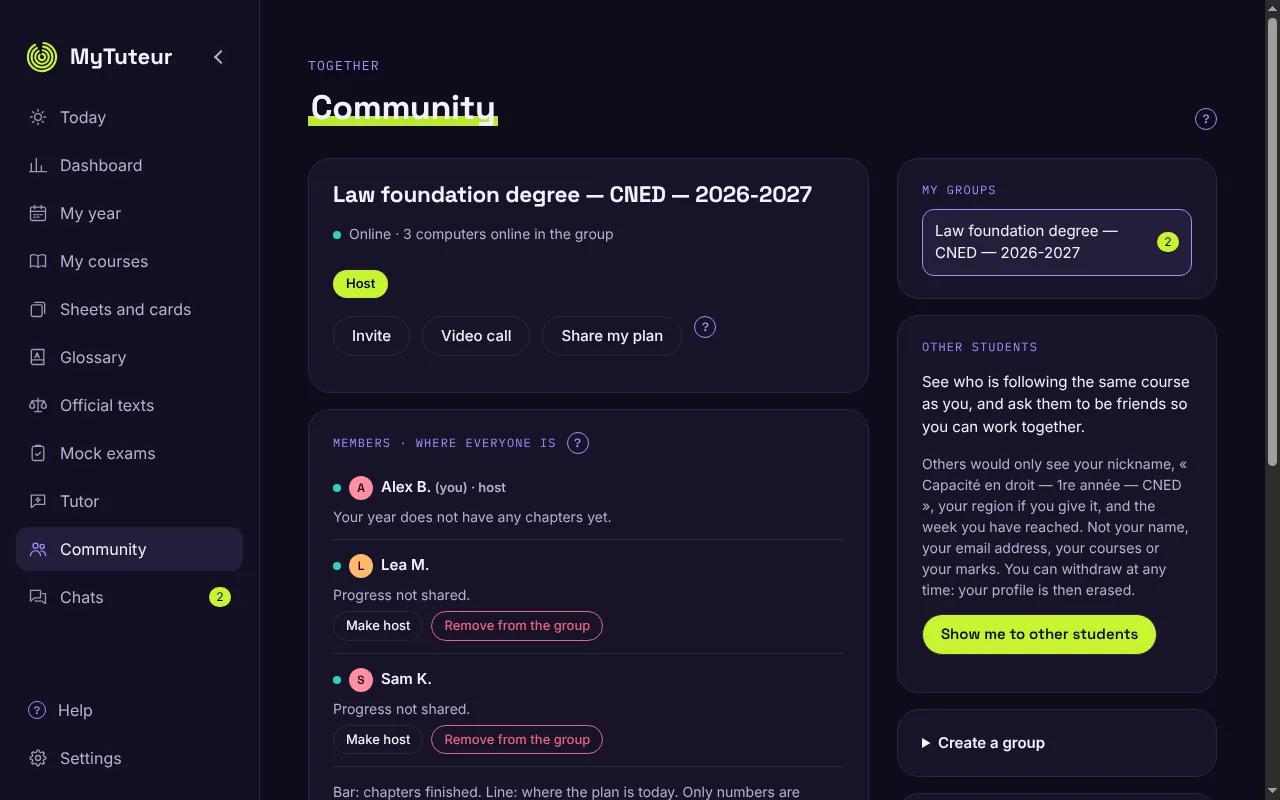
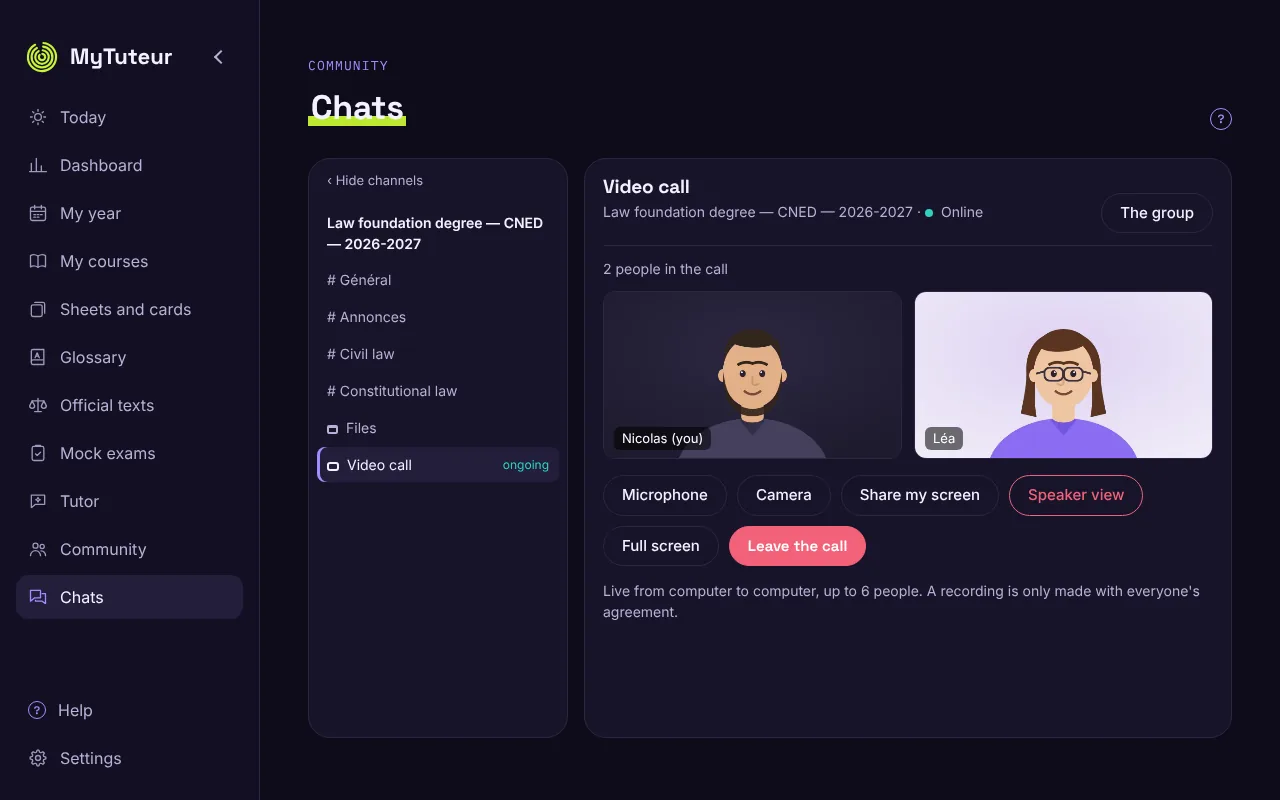
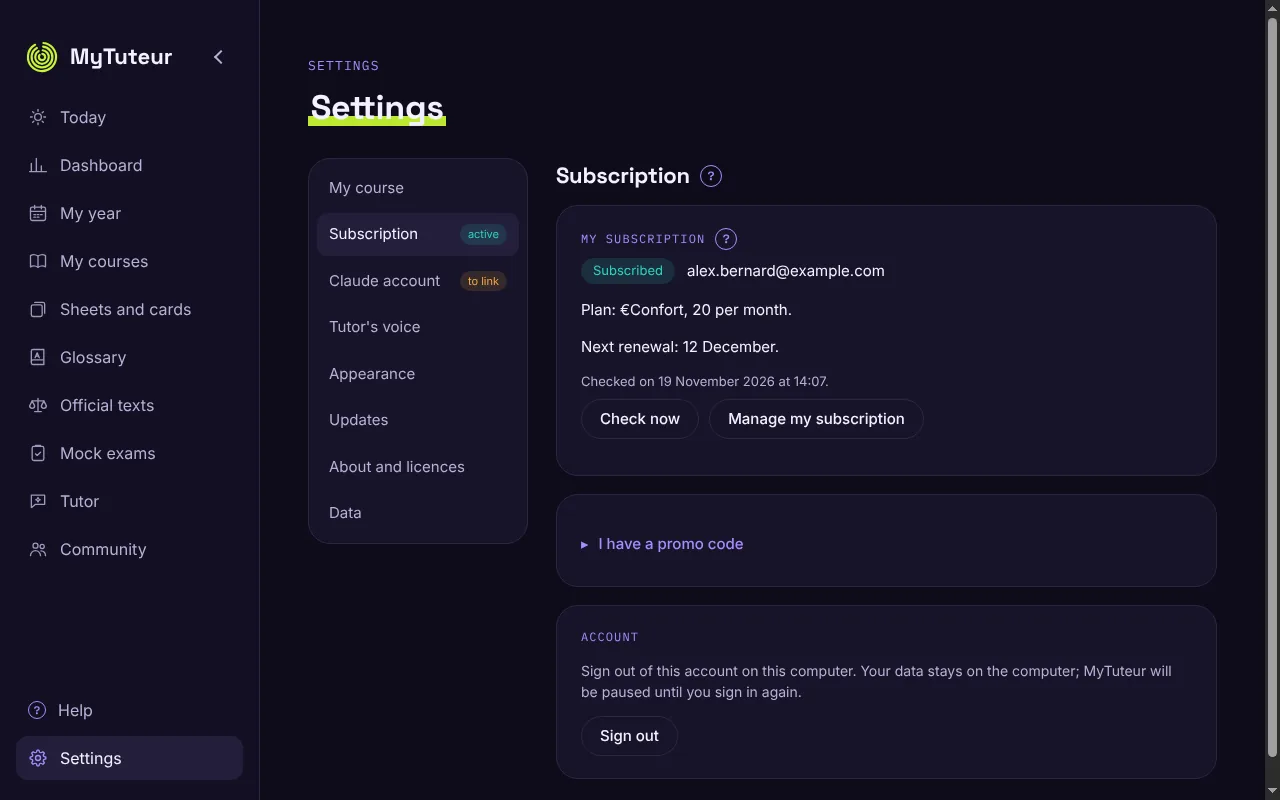
Click an image to enlarge it.
Your class, together in MyComplice
You do not study alone: every course can have its own community in the application.
The first student creates the community
The first student on a course creates the community for that course, for example "Capacité en droit — 2026-2027". They generate a QR code and pass it on to their class.
Everyone picks up what is shared
By scanning the QR code, everyone picks up what is pooled: the course schedule, the deadlines (assignments, in-person sessions, exams), the assignments and exercises, the sheets and resources created by students.
Everyone keeps their own adjustments
Your unavailabilities and your delay stay yours. When the shared schedule changes, MyComplice offers you the update.
Fewer credits spent
A schedule generated by one member serves the whole class: nobody needs to generate it again.
Your official courses are not shared
Course booklets are protected by copyright: everyone imports their own. MyComplice shares what students produce.
Work with your class
Create your course's group, or join it with a link or a QR code. Everything you exchange is encrypted and stays on the members' computers.
Discussions
Like a messaging app: a group, channels (General, Announcements, one per subject), @mentions, reactions, and adjustable notifications.
Shared schedule
Same chapters, same weeks, same pages to read for the whole group. Joined partway through the year? MyComplice places you in the right week and organises the catch-up.
Files
A General folder, one per subject, one per video call session. Everyone sees all the files; a file is only copied to your computer when you open it. The week's written work is dropped in the video call's folder.
Video calls
Up to 6 people, live from computer to computer. Hosts schedule them (once or every week), linked to the week's chapter. Whoever is speaking appears large and the others stay as thumbnails above; a screen share goes large on its own; full screen is possible. Detection recognises the voice, not the sound of a keyboard, a spoon in a cup or a fan.
Guests
A speaker or a classmate who does not have MyComplice joins the call in their browser, on a computer or phone, with a link or a QR code and a first name or nickname shown to everyone. They see neither the group's messages nor its files; the link expires on the evening of the call and can be disabled with one click.
Recording
A host can record a scheduled video call, only if every participant agrees, and an indicator stays visible throughout. The video remains available to the group until the next call.
Where everyone stands: each member's progress to help you place yourself, which you can hide with one click.
The student directory
In the Community, see who is on the same course as you (among those who chose to show themselves) and send them a friend request. An accepted request opens a two-person encrypted discussion, with video calls and sheet sharing.
You are never shown by default, and you can withdraw at any time: your entry is then erased. The server keeps only your nickname, your course, your region if you give it, and the week you are at: no name, no e-mail address, no messages.
MyComplice is also available in English
In Settings › Appearance › Language, choose Français or English: the whole interface, the help and the messages switch to English, and dates follow British English.
A tutor that keeps French legal vocabulary
In English, the tutor answers in your language but keeps French legal terms, with their translation the first time, and points out false friends.
Who is it for?
For foreigners preparing a degree or the French bar, and for students on English-language distance courses.
What you need to use MyComplice
MyComplice works in two ways: with your own courses or, soon, with a prep course whose lessons are generated for you. The AI is included in the subscription, with no Claude account to create.
You bring your courses
Your course booklets, your programme for the year and your deadlines. MyComplice organises them week by week and guides you day to day. All plans: Essential, Comfort and Intensive.
You won't bring anything
MyComplice will generate the lessons and the programme itself to prepare for a competitive exam or school entry. Comfort and Intensive plans, with a planned €20 generation fee per prep course: generating lessons takes a lot of AI computation.
Nothing else to buy to get started
A tutor question credit is included in the subscription, usable in weekly instalments. You do not need to create a Claude account or buy credits. If you want to go further, you can add your own Claude key in Settings: an optional 4-step tutorial is built into the application.
Your study materials
- Your courses: course booklets, workbooks, handouts (PDF, scans, Word, audio)
- Your programme for the year (table of contents or list of chapters by subject)
- Your deadlines: assignments due, in-person sessions, exams
This list applies to classic MyComplice. With a MyComplice prep course (coming soon), you won't have anything to provide.
A computer and an e-mail address
- Mac with Apple silicon (M1 and later), .pkg installer; Intel-based Macs are not supported
- PC running Windows 10 or 11 (64-bit), .exe installer
- The download is about 190 MB. Right after installation, MyComplice downloads the tutor's voices and dictation once (about 380 MB) in the background: you can use it in the meantime. An Internet connection is needed for this first step.
- An e-mail address to sign in, with no password
- To use your own Claude key: be of legal age (an Anthropic condition for opening a Console account)
Your data stays with you
- Your courses, notes, schedule and conversations stay on your computer
- The MyComplice server keeps only your e-mail address and the status of your subscription
- Your questions to the tutor go to Claude and, when a table of contents is read, only the pages of that table of contents; the voice stays on your computer
- Technical credentials (MyComplice's Claude key, Légifrance) stay on the server, never in the application
- If the subscription stops, MyComplice pauses: nothing is lost, and you can still export all your data